Tokyo, Mt. Fuji, Nikko, Kyoto, Uji, Osaka, Nara,
8-14 Days Flexible, 6-16 Persons, Small Group
9 Days Classic Japan Tour
How to Reserve
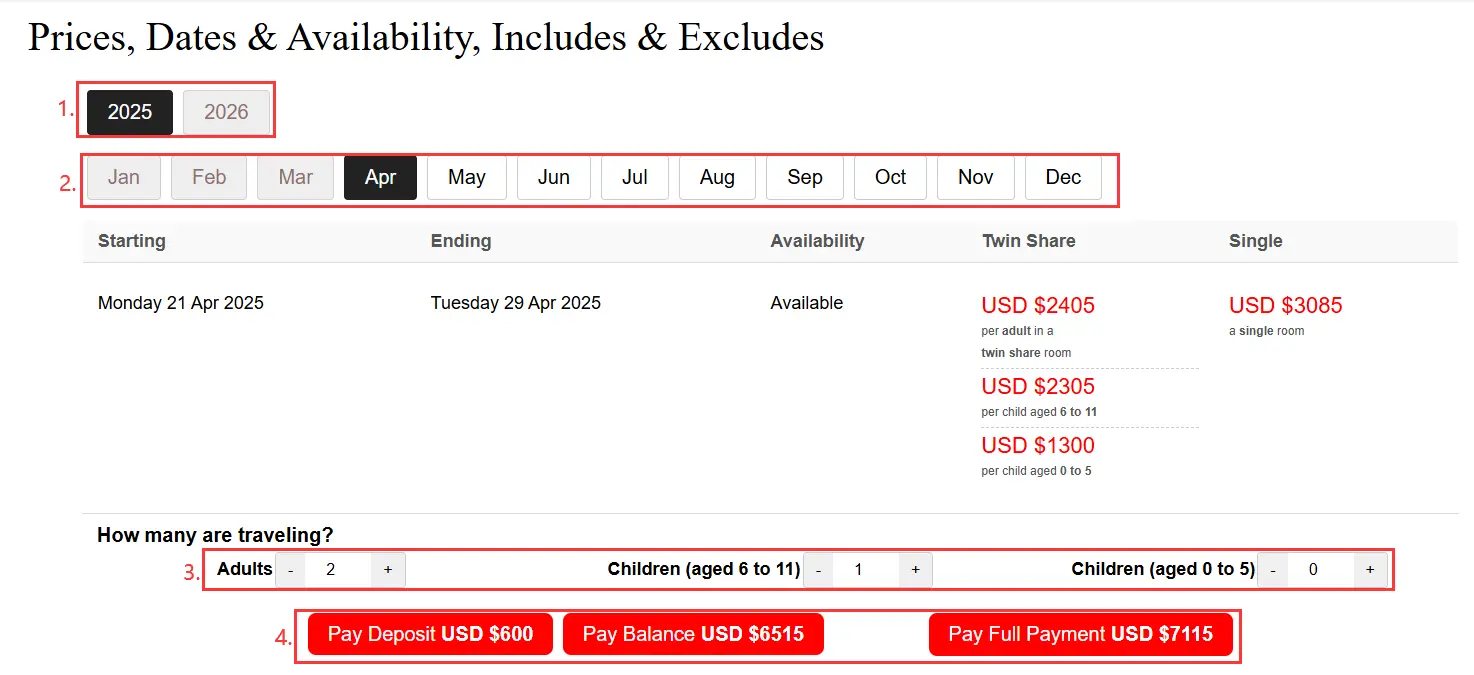
1. Make Your Choices
After carefully reviewing all information of the tour package you choose, go to the "Prices, Dates, Availability, Includes & Excludes" section. Select your preferred departure date and number of participants, click "-" or "+" to match your "Travelers" Numbers, the total amount of deposit/balance/full payment will be automatically calculated. Then click the corresponding payment button to continue reservation.
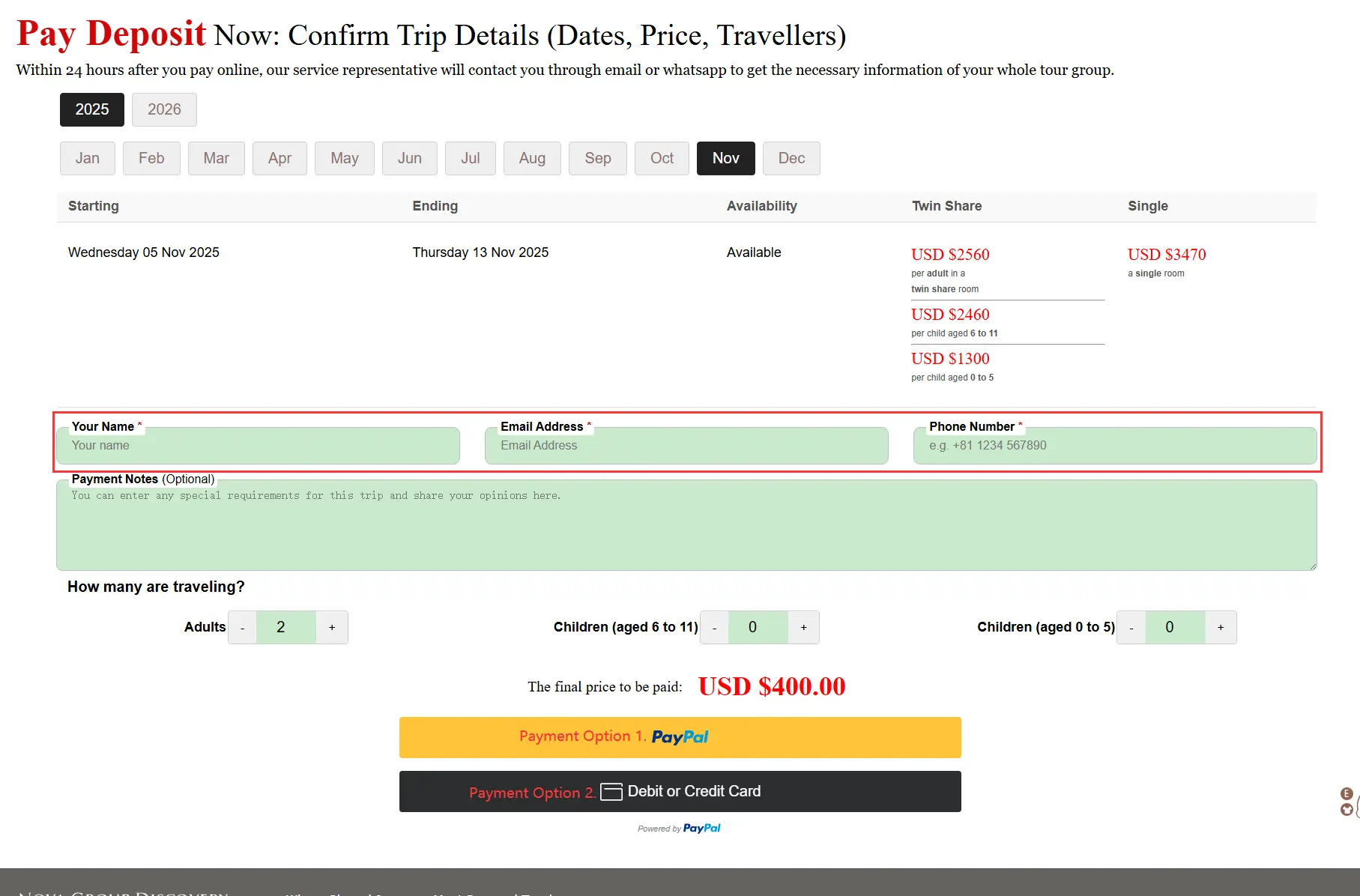
2. Verify & Fill Information
You'll be directed to the payment page. Double-check your tour date, group size, and the system-calculated total payment amount. If correct,enter your full name, email address, and phone number. Choose your preferred payment method below.
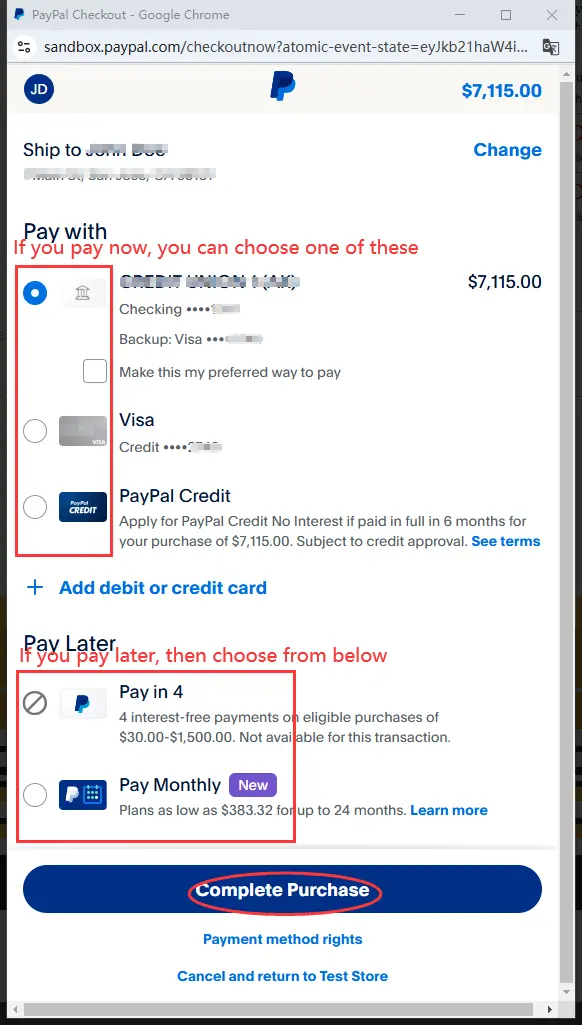
3-1. Complete PayPal Payment
If selecting PayPal: A secure pop-up window will appear to finalize your transaction. Follow the prompts to complete payment (see example image as below).
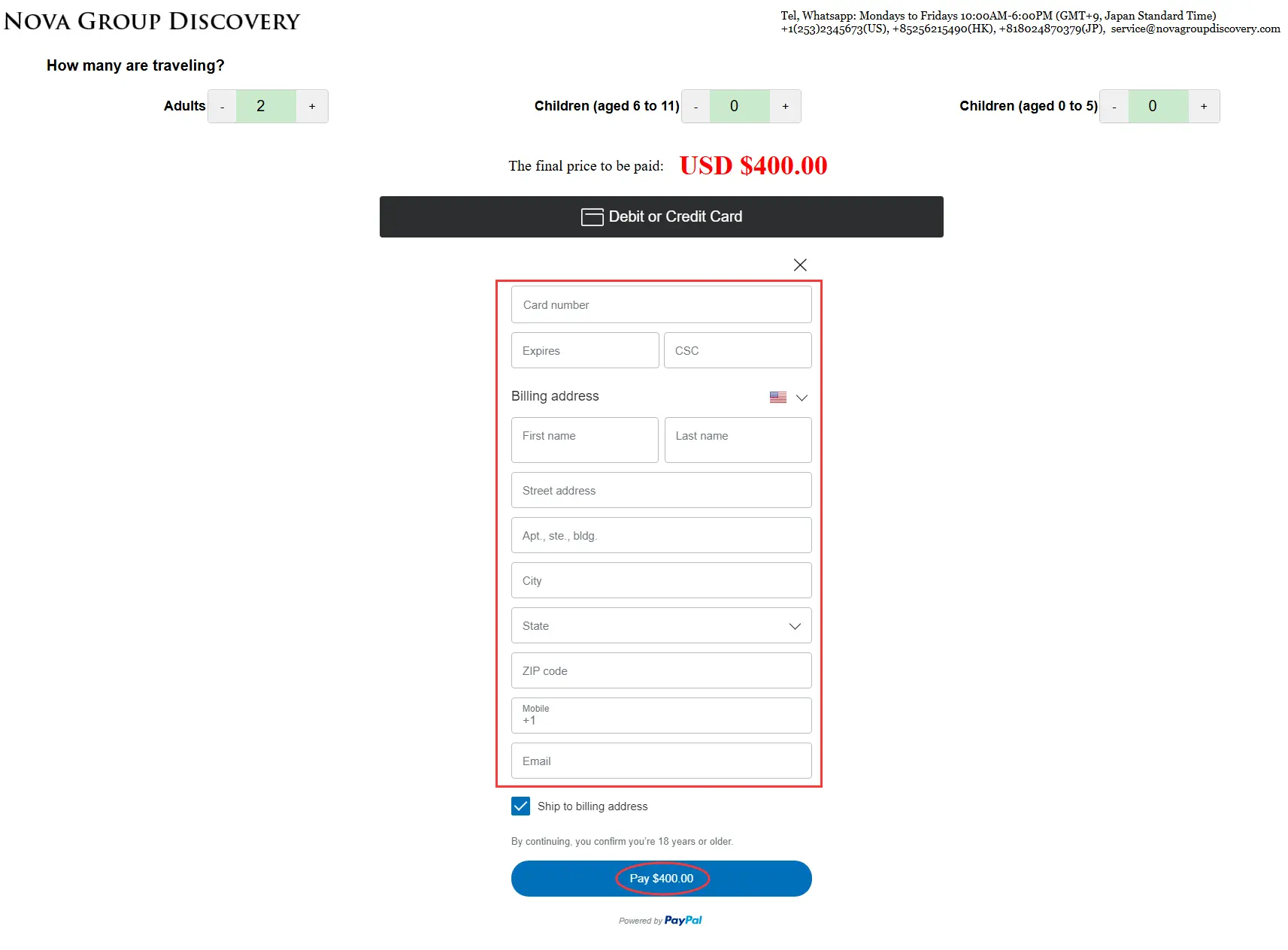
3-2. Pay by Debit/Credit Card
If choosing "Debit or Credit Card": A form will expand below this option. Enter your card details directly on the page to proceed (refer to sample layout below).
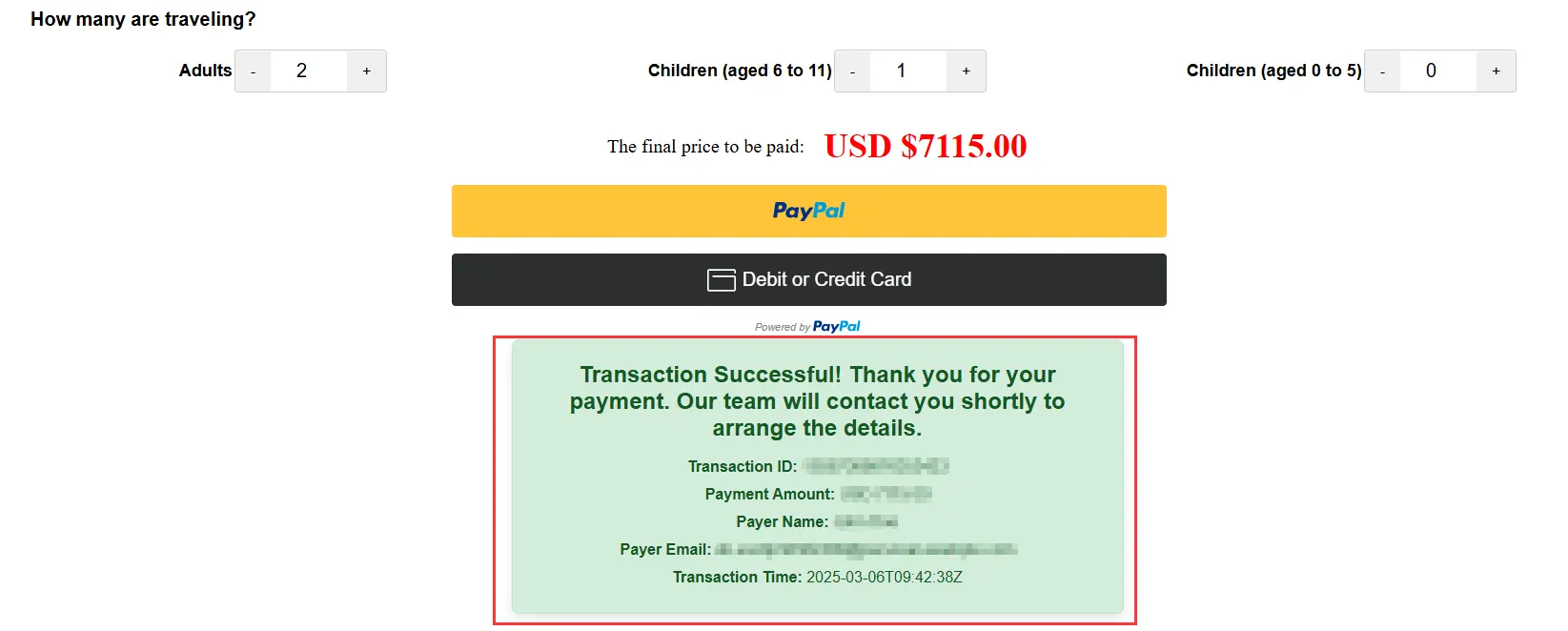
4. Receive Payment Confirmation
After successful payment (via either method), an on-screen confirmation message will appear in a few seconds. This confirms we've received your booking request.
5. Wait for Our Contact
Once you see the confirmation message, our service representative will contact you via email and WhatsApp within 24 hours. Please keep an eye on both platforms!
Ask Question
Not All Fields Required. Your privacy will be protected.
NovaGroupDiscovery
Loading........
Where Shared Journeys Meet Personal Touches
×
Tel, Whatsapp: Mondays to Fridays 10:00AM-6:00PM (GMT+9, Japan Standard Time)